The desk
Recording a result
Type in a result from paper, record a walkover, and replace a result a phone sent.
Find the match
Open Matches. The counts at the top say what is On court, Ready, Later and Done. The category chips narrow the list.
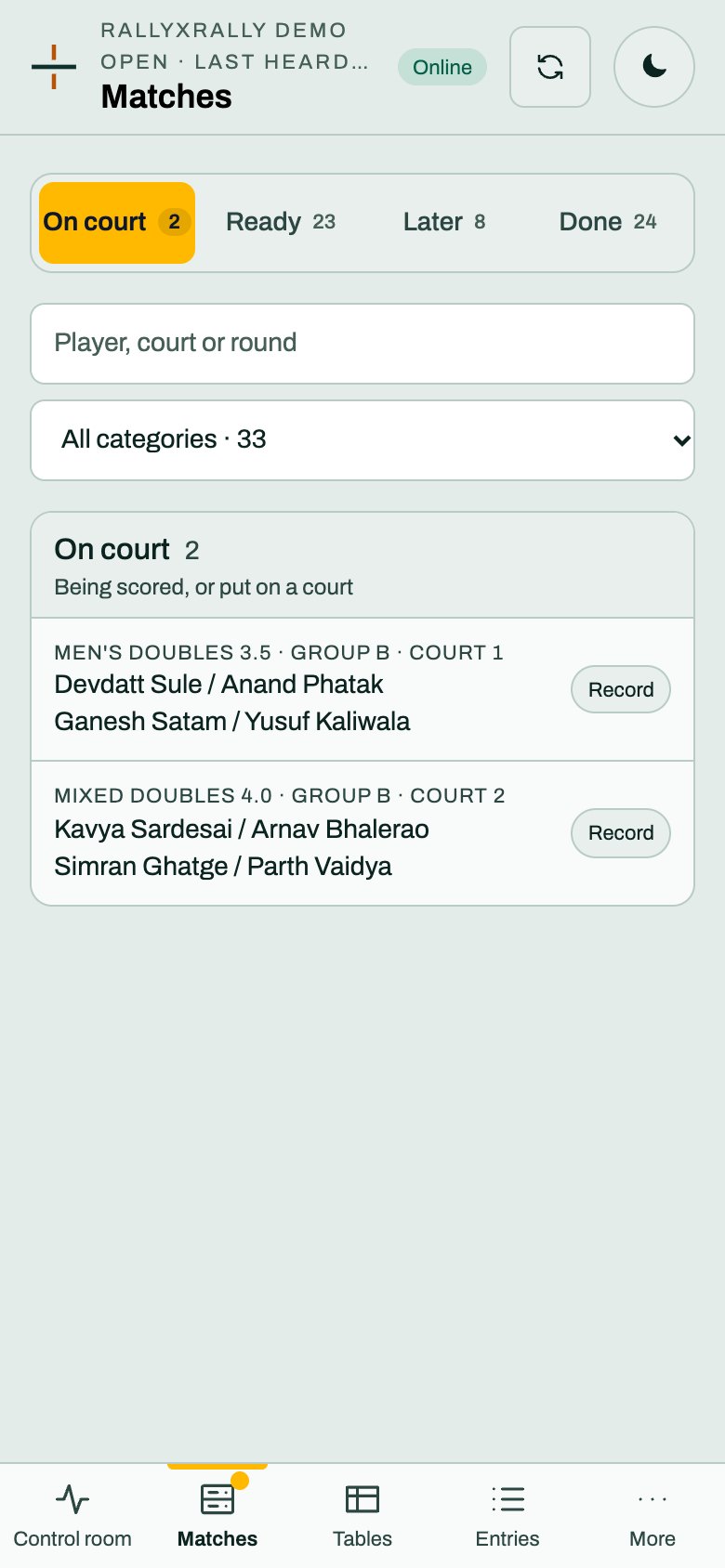
Each match has a Record button.
Record it
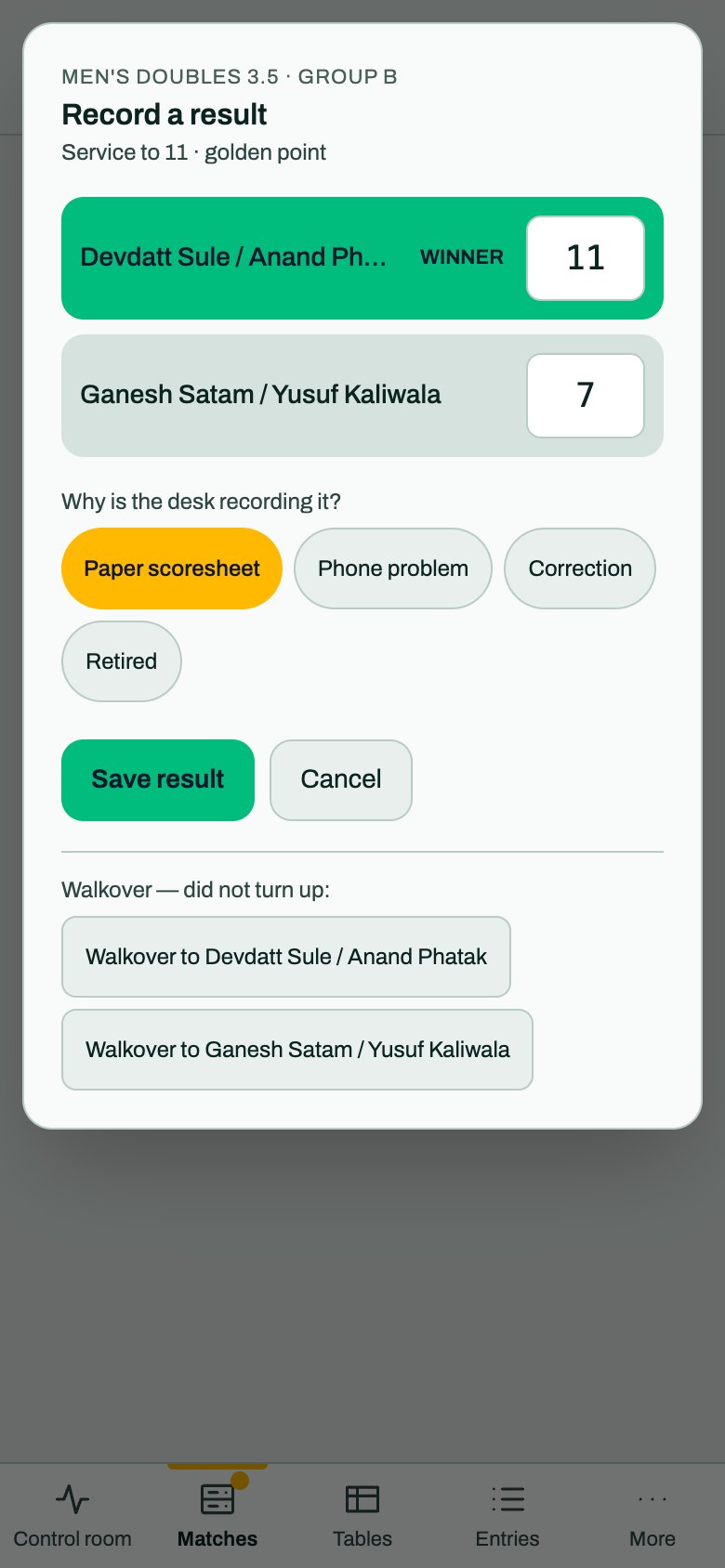
Type the points for each side. The side with more is marked winner as you type, and the names are on the boxes, so you cannot put a score on the wrong side.
Then choose why the desk is recording it:
- Paper scoresheet: the usual one.
- Phone problem: the referee's phone failed.
- Correction: fixing an earlier result.
- Retired: a side stopped. rallyxrally cannot tell who from the score, so it asks Winner (did not retire).
Press Save result.
The score is checked
- A game can't end level. Check the sheet.
- A score that cannot end a game in this format says so, with the format, for example "can't end a game here (Service to 11 · golden point)". Press Save result again to keep it anyway, if the sheet really says that.
A walkover
At the foot of the box: Walkover to each side. One press. It records a win with no points, which is how a walkover counts in the table by default. Your organizer can choose that a walkover also counts its score.
If a side has withdrawn, the box says so and offers the walkover first.
When a phone has scored it
If a referee is scoring the match or has scored it, the box says so: "A referee scored this on a phone (11–7), court 1. A desk result replaces it." The button then reads Replace the phone's result. It asks once, because a phone's result and a paper result are different claims about the same match.
If the match is a phone result and you did not mean to replace it, press Cancel.
Taking a result back
A result the desk typed has Remove desk result. The match goes back to being played, or its phone result stands.
Everything you record is logged
The organizer's activity log shows what the desk recorded, by the name of its code.