Resources
Guides for the whole day.
Short, and written for the moment you need them: how to score a match, run an event, work the desk, or put a score on a stream.
Try “undo”, “walkover” or “OBS”. Press / to search from anywhere.
Start here
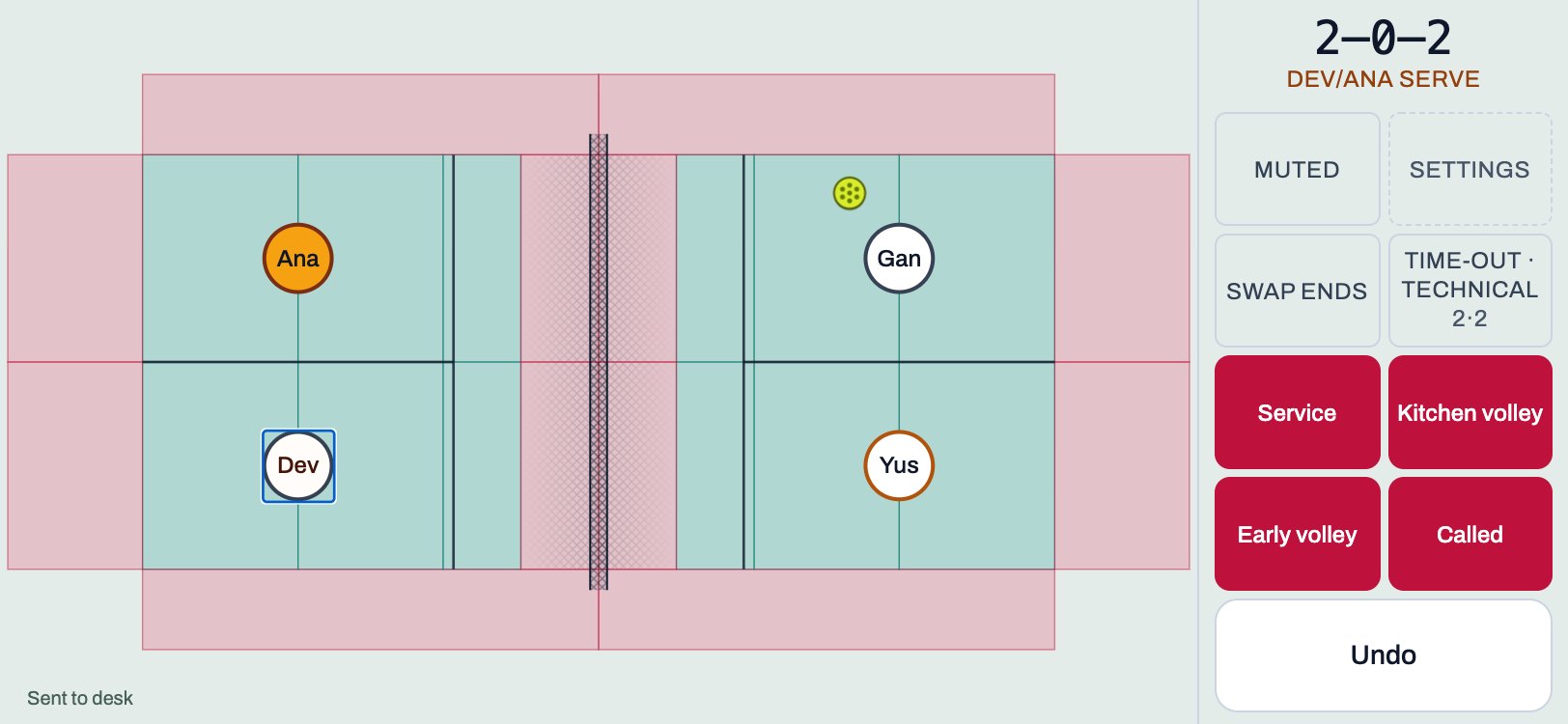 Referees
Referee card
One page to print, or keep on your phone. The four things, the faults, and what to do when it goes wrong.
1 min read · PDF
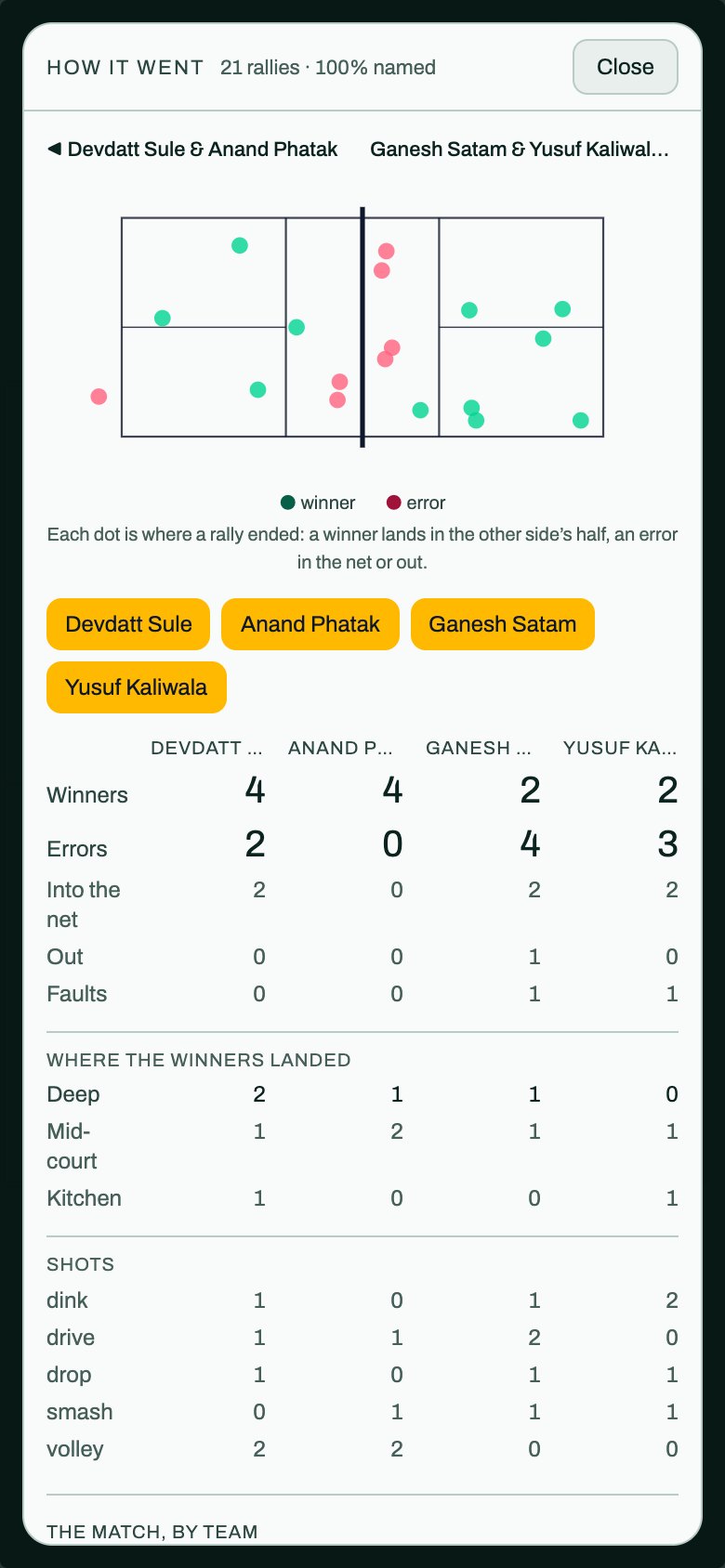 Players and coaches
Reading how it went
What the analysis of a match shows, what it will not show, and how to fill in what was skipped.
2 min read · PDF
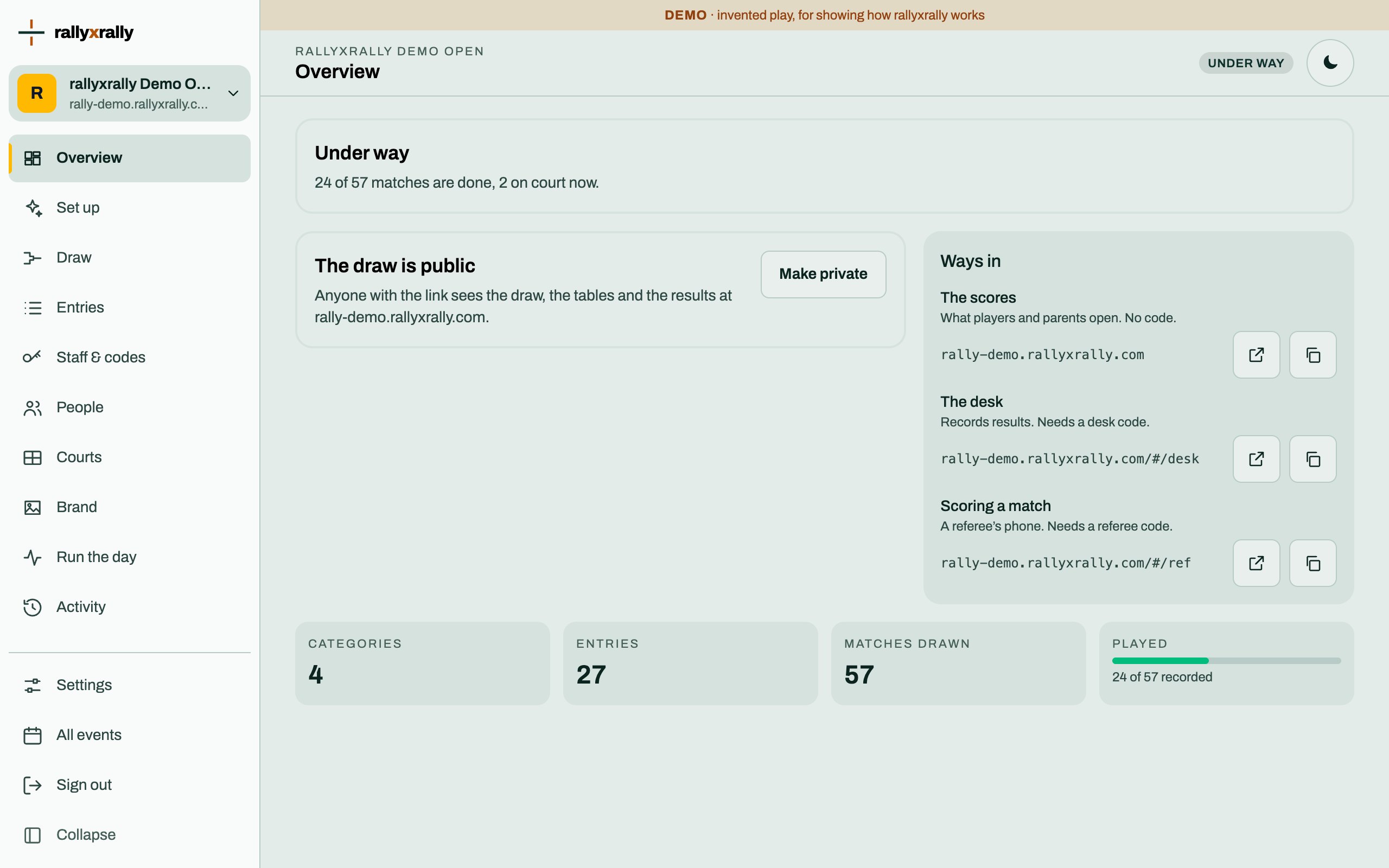 Organizers
Create your event
Sign in, name your event, and see the five steps between an empty event and a published draw.
1 min read · PDF
Browse by who you are
Pick your door.
Players and coaches
Reading how a match went, and what the numbers can and cannot tell you. 1 guide
Organizers
Setting up and running your own tournament, from an empty event to a published draw. 9 guides
The desk
Running the day: courts, results, walkovers and tables. 3 guides
Referees
Scoring a match on a phone, and what to do when something goes wrong. 4 guides
Following along
Following the scores from your phone. 1 guide
Broadcasters
Putting a live score on a stream or a screen. 1 guide
Every guide
- OrganizersCodes for the desk and refereesHow to give someone a way in, how long it lasts, and what to do when a code is lost.
- RefereesScoring a matchStart a match, tap the court, call a fault, undo a mistake, and send the result. About three minutes.
- OrganizersYour logo and your sponsorsPut your logo and your sponsors on the event pages, the scoresheet and the referee's screen, and give each sponsor an honest report of what was counted.
- BroadcastersA score bug and a live feed for your streamPut a live pickleball score on OBS or vMix with a score bug page and a data feed. The organizer gives you a key and two addresses; here is what to do with them.
- OrganizersCategories and the drawA category is one competition. Choose its format and groups, and rallyxrally makes the draw from the entries.
- OrganizersCourtsName your courts once. Referees pick from them and the desk puts matches on them.
- OrganizersCreate your eventSign in, name your event, and see the five steps between an empty event and a published draw.
- OrganizersEntriesAdd players one at a time, or import a list. Withdraw someone without losing the matches already played.
- Following alongFollowing the scoresOpen the event's link on a phone. See what is on court now, the draws and tables, and the results. No sign-in.
- RefereesIf something goes wrongA mistap, a dead phone, no signal, a code that is not accepted, or you have fallen behind. What to do, in order.
- OrganizersLetting support inNobody from rallyxrally can open your event unless you let them. How to allow it, for how long, and how to see when it happened.
- OrganizersPeople: running the event with othersInvite up to five co-organizers. They can do what you do, except decide who runs the event.
- Players and coachesReading how it wentWhat the analysis of a match shows, what it will not show, and how to fill in what was skipped.
- OrganizersReading the activity logWho changed what, and when, in your event. Filter by person, kind of change or time.
- The deskRecording a resultType in a result from paper, record a walkover, and replace a result a phone sent.
- RefereesReferee cardOne page to print, or keep on your phone. The four things, the faults, and what to do when it goes wrong.
- RefereesScoreboard, Charting and Full chartingThe three ways to record a match, what each one asks of you, and why to pick the one you will actually do.
- The deskTables, entries and referees on the deskRead the group tables, deal with a tie that no rule can split, and see who is refereeing what.
- The deskThe control roomSign in to the desk, see which courts are free, put matches on them, and what the alerts mean.