Organizers
Team events
Run a competition between teams. Describe a tie once, give each captain a code, and captains send their lineups to the desk.
What a team event is
In a team event, clubs or schools play each other. Two teams meet in a tie, and a tie is several matches played one after another: a doubles, a singles, another doubles. The team that wins more of them wins the tie.
You describe the tie once and name the teams. Each captain says who plays, the desk accepts it, and a referee scores each match.
Set it up
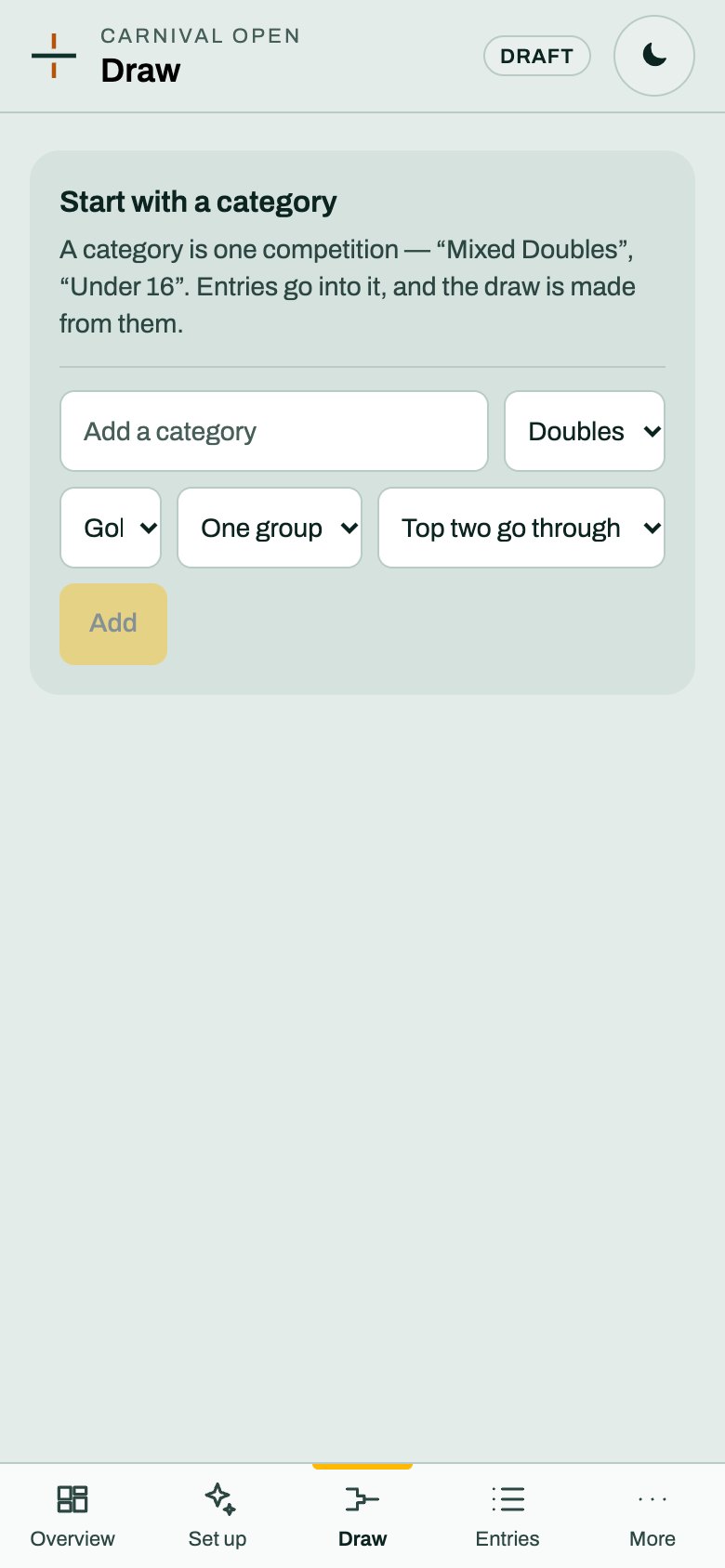
1. Make a Teams category. Open Draw and fill in the box, as in Categories and the draw. Choose Teams, then how a match is scored, how many groups, and what happens after them. The scoring is the same for every match in a tie.
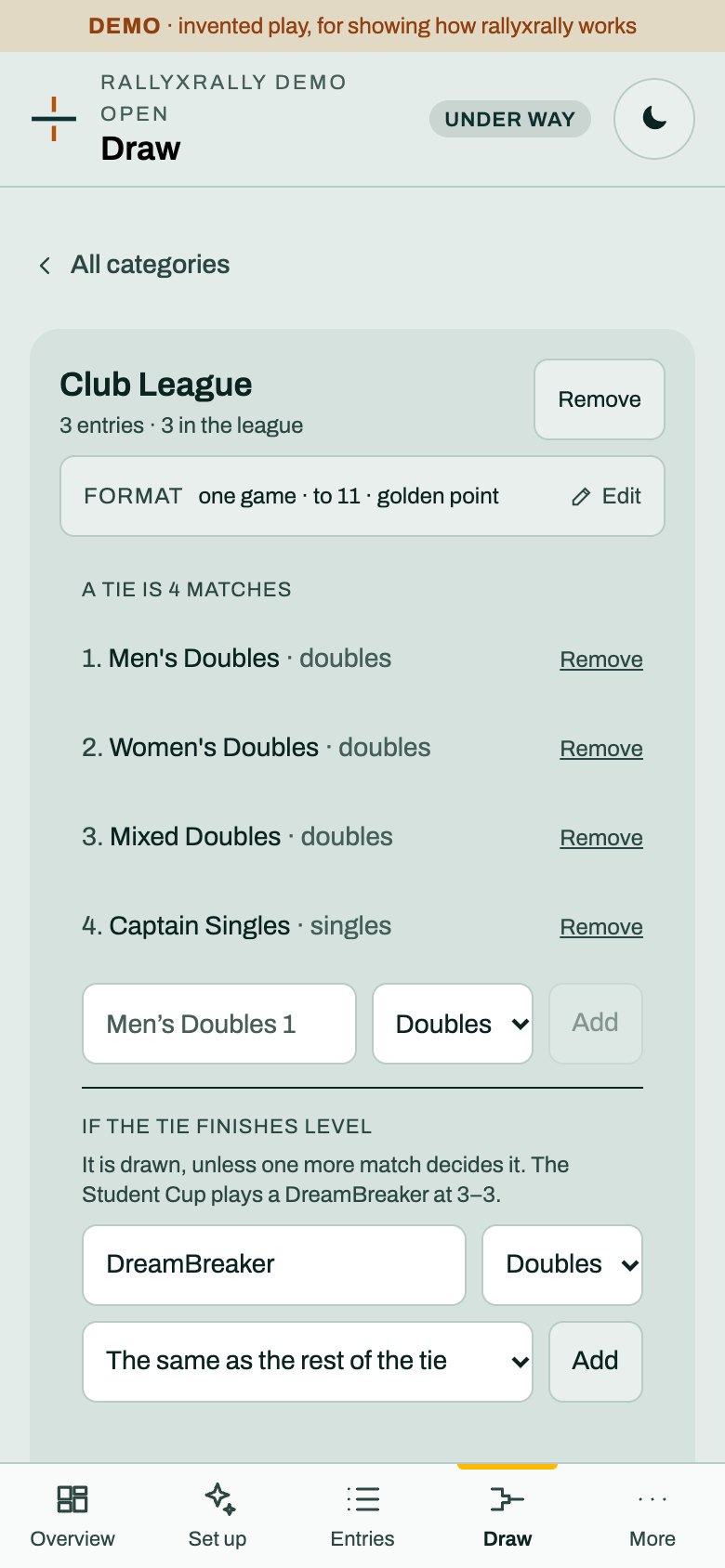
2. Describe the tie. In the category you will see A tie is not described yet. Add each match in the order it is played, and choose Doubles or Singles for it. Name them, as in "Men's Doubles", "Captain Singles", "Women's Doubles". A name tells the desk who is on court. A number does not.
Do this before play. A match that already has a result cannot be removed.
3. Add the teams. Add one entry for each team. It is just the team's name. You do not type the players: the captain does.
4. Give each captain a code. Under the tie, Team codes lists every team. Press Issue a code next to a team and send that captain their code. It opens their own team and nothing else. Unlike a desk or referee code, it stays on the list, because you may be chasing captains for a week.
5. Send the captain link. In Staff & codes, under Links to send, copy the Captain link. Send it with the code, as two things. More on codes and links.
What a captain does
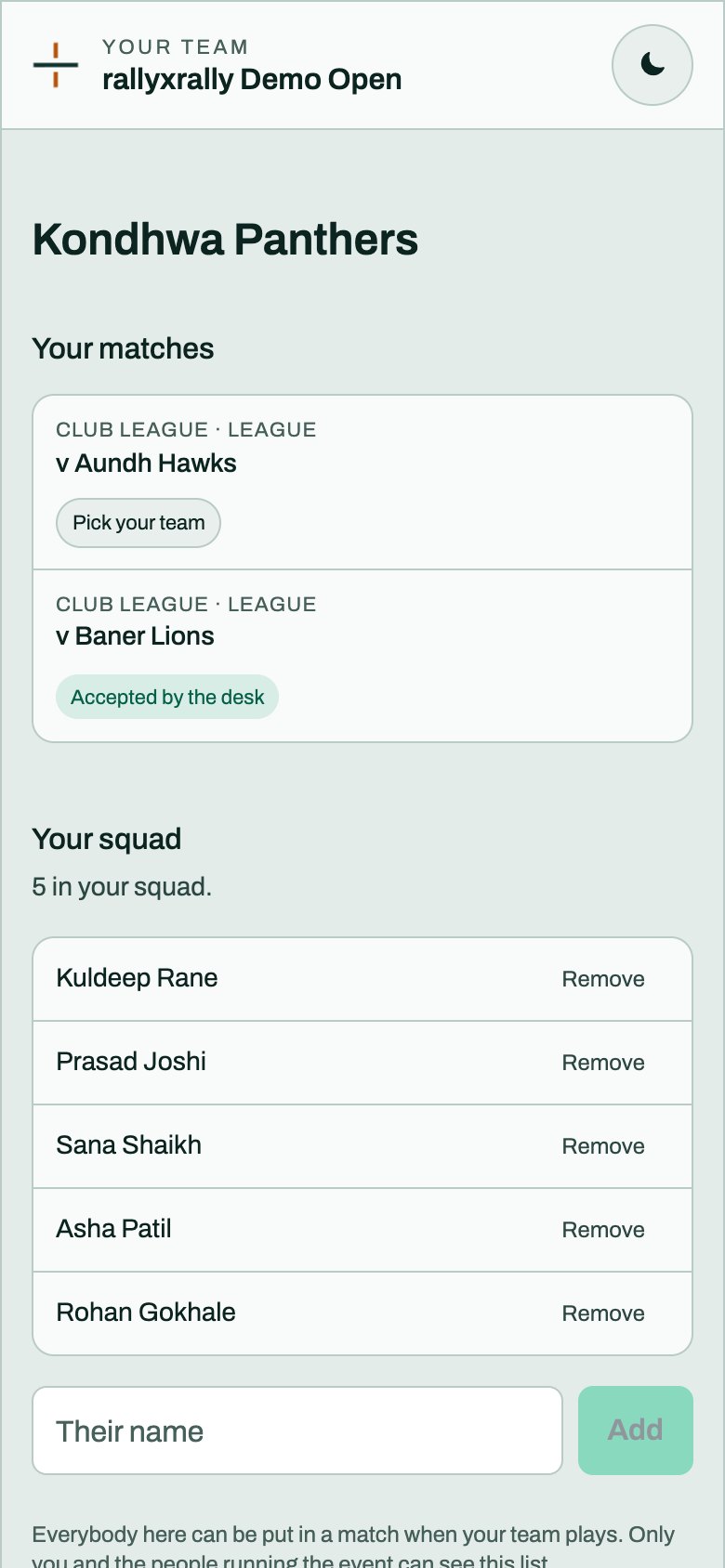
The captain opens the link on their phone and types their six-digit code. They see their team, its ties, and Your squad.
- Add the squad. Type the names of everybody who might play and press Add. Only the captain and the people running the event can see this list.
- Pick a lineup. Open a tie. For each match, pick the players from the squad: two for a doubles, one for a singles.
- Save for now, or Send to the desk. Saving keeps a draft the captain can change. Sending hands it over and locks it, and every match must be filled in first.
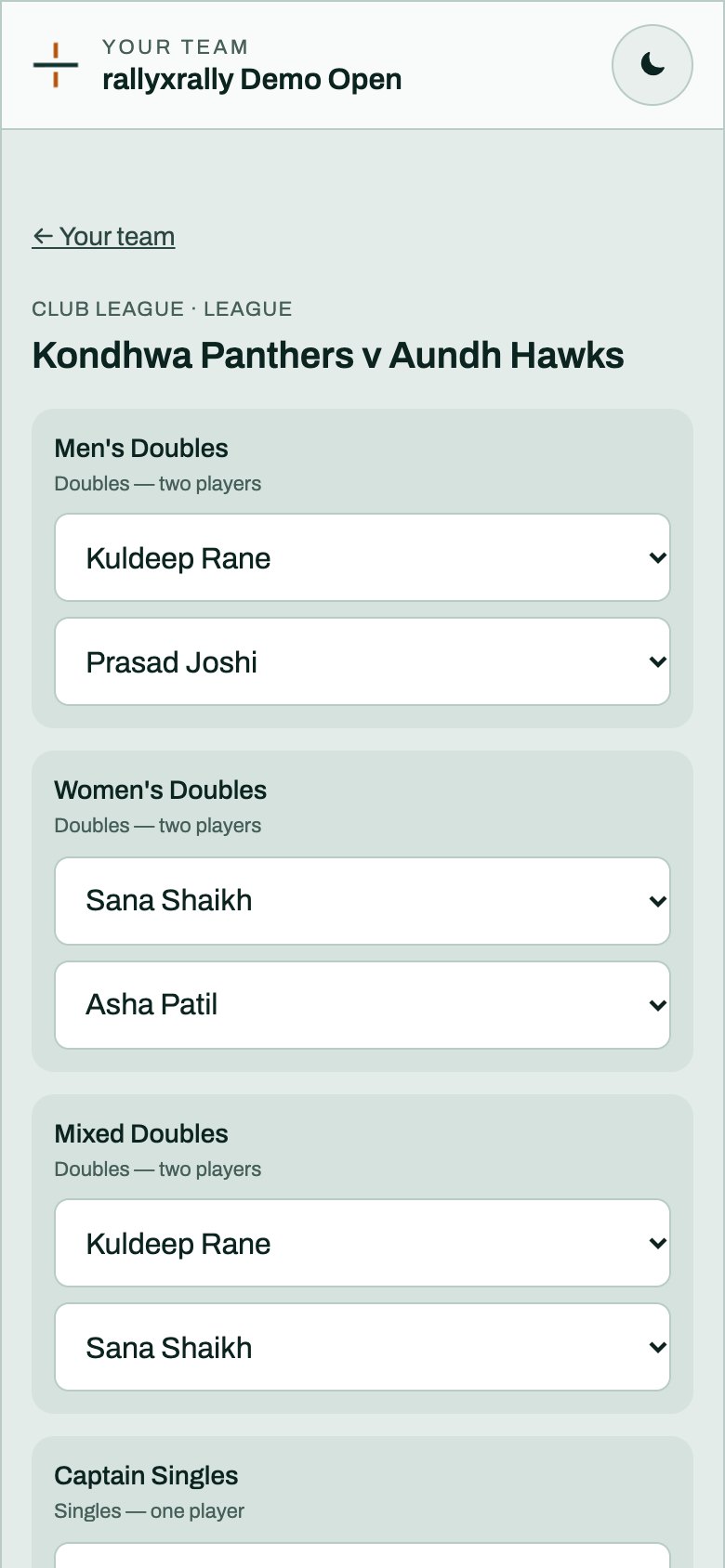
Until it is sent, nobody else can see a lineup: not the other team, and not a referee. To change one after it is sent, the captain asks the desk to send it back.
Sending needs a signal. Without one the screen says No connection. Nothing was sent. The code stays saved on the phone.
What the desk does
Open a tie on the desk. Above its matches is each team's lineup, marked Nothing sent yet, Sent in or Accepted.
- Accept it, or Send back with a reason. A reason is required, because the captain is somewhere in the venue and has to know what to fix: "Priya is in two matches".
- Each team is decided on its own. One captain's lineup often arrives while the other is still looking for a fourth player.
- A returned lineup shows the captain the reason. They fix it and send it again.
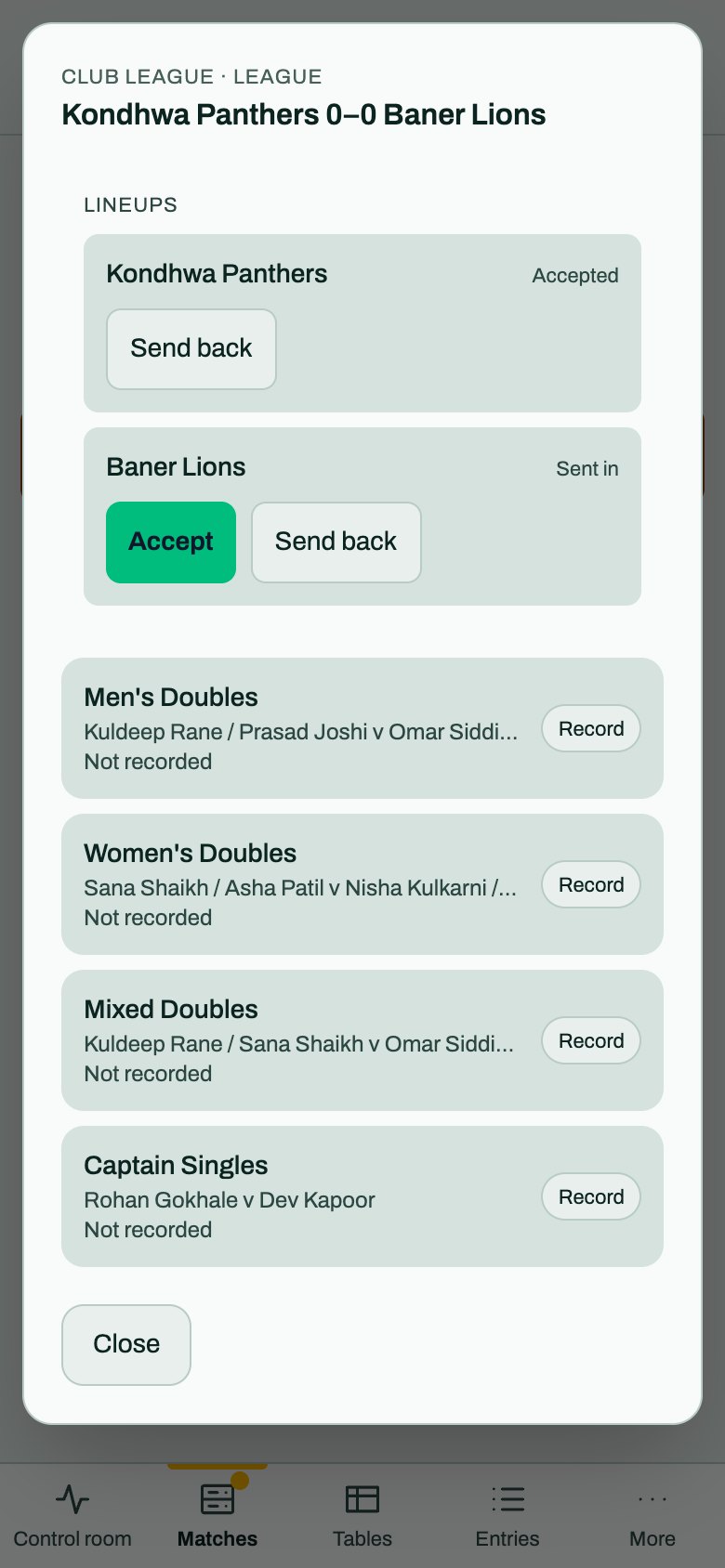
The desk can also record the result of any match itself. That is the fallback when a lineup is late.
What a referee sees
Once both lineups for a tie are accepted, each match of it is a row on the referee's list, and the names come from the lineups. Nobody types a name at the court. Until then there is no row, and the desk records the result. How a referee scores a match.
The tie, and the table
A tie shows its score as matches won, such as 2–1. It is decided as soon as the other team cannot catch up.
The group table counts ties, not matches. It ranks by ties won. When teams are level it looks at the result between them, then the points difference across every match played, then points scored. Anything still level is placed by the desk and marked as such.
With an even number of matches a tie can finish level. Without a decider it stands as a draw.
A decider
You can add a decider, a match that is played only when the tie finishes level. Name it, choose Doubles or Singles, and choose how it is scored. The default is The same as the rest of the tie, or it can differ, for example a rally game to 21.
It appears on the tie the moment the tie is level, and not before. For now the desk records its result: captains are not asked for decider pairs yet, so a referee's phone cannot start it.
What it does not do yet
- Check eligibility. It refuses a player picked twice in one match. It does not stop somebody playing two matches in a tie, or check ages or ratings. The desk reads the lineup.
- Weight a match. Every match in a tie counts as one.
- Ask for a signature. The code identifies the team, and sending is the act.
- Start the decider from a phone, as above.
- Count match points in the table. It counts ties won.
More for organizers
 Organizers
Create your event
Sign in, name your event, and see the five steps between an empty event and a published draw.
1 min read · PDF
Organizers
Categories and the draw
A category is one competition. Choose its format and groups, and rallyxrally makes the draw from the entries.
2 min read · PDF
 Organizers
Entries
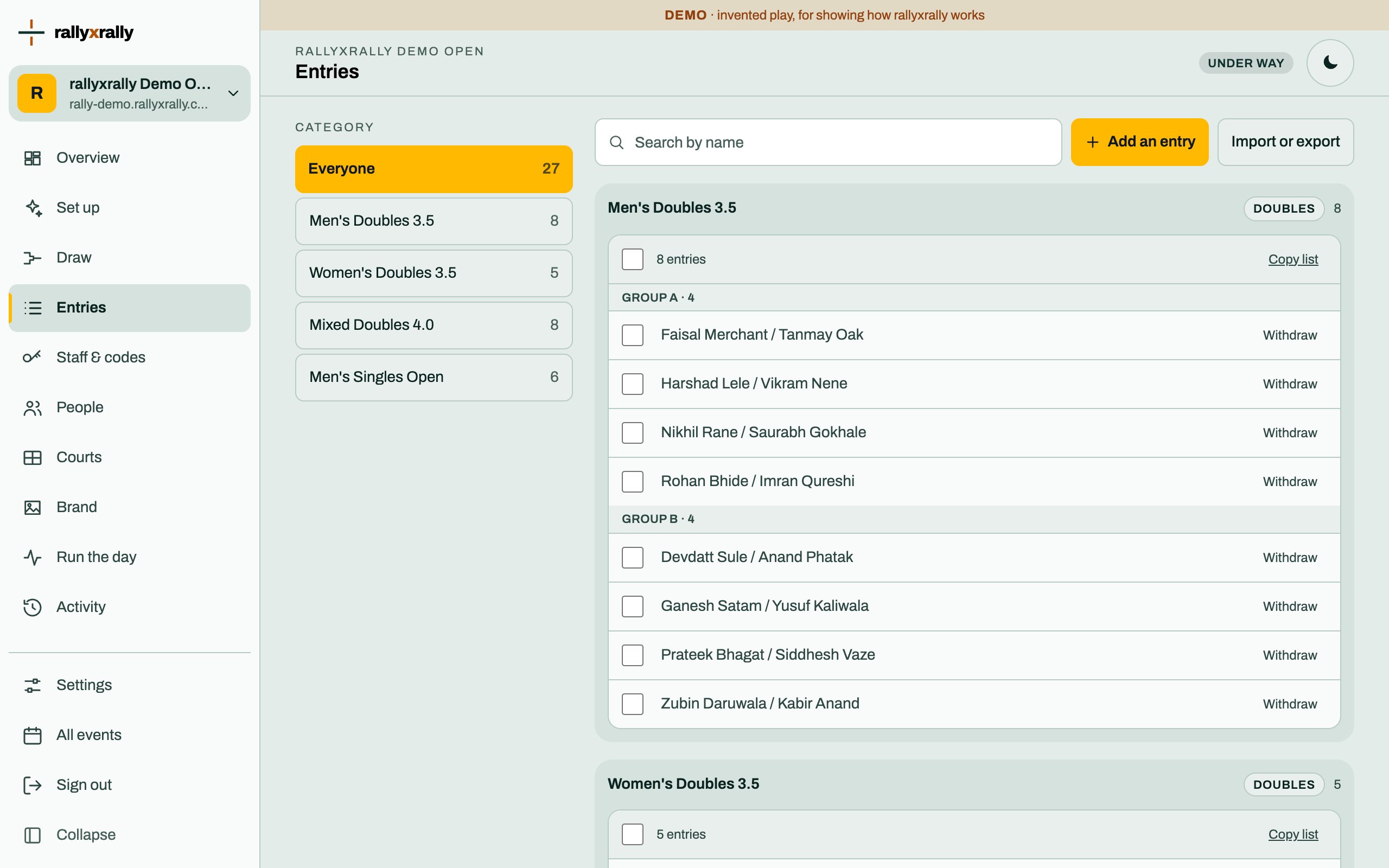
Add players one at a time, or import a list. Withdraw someone without losing the matches already played.
2 min read · PDF